
Add expenses from your bank’s SMS alerts
Paste your bank’s debit alerts: new payments are added, matching ones get the amount your bank charged, and fees get their own line.
Pictures come from the sample workspace; the orange frame shows where to look or press.
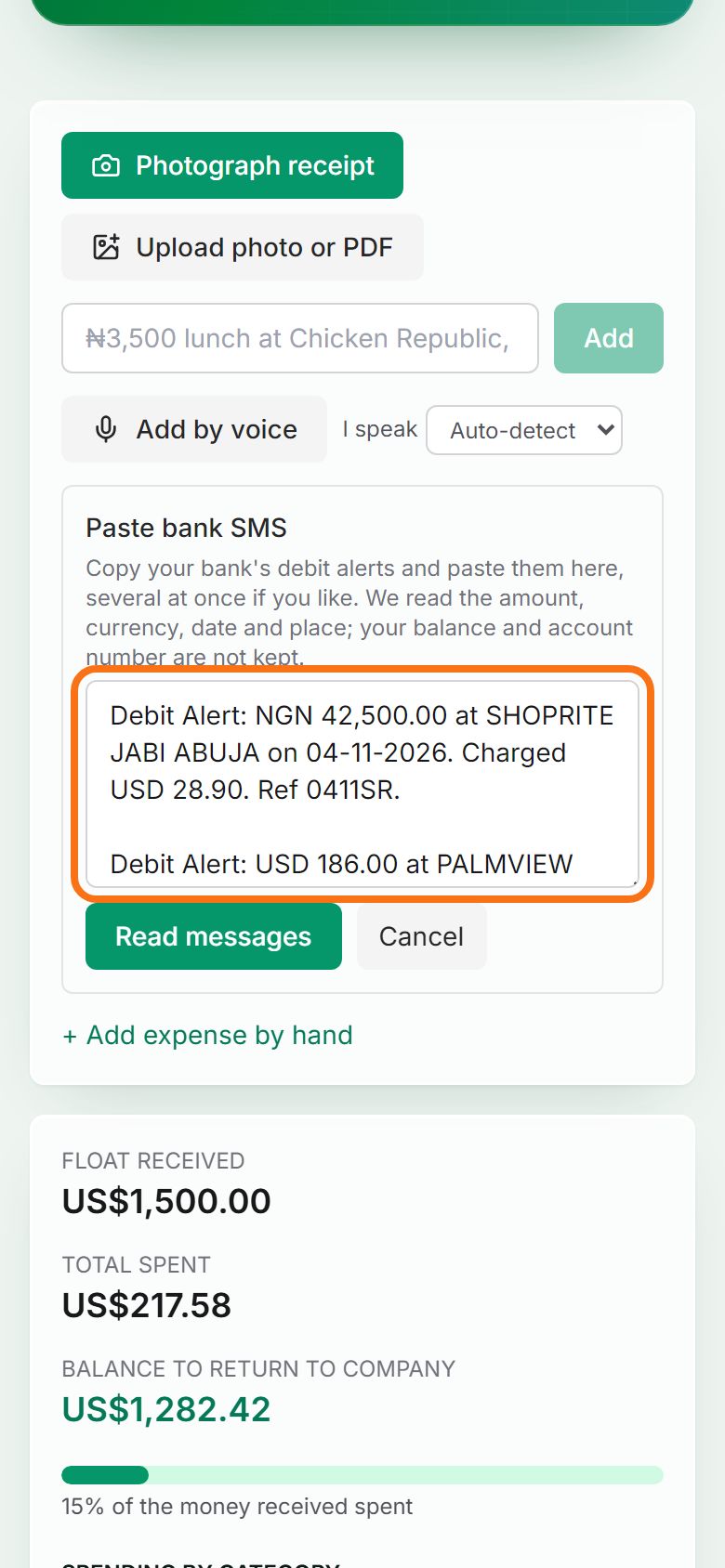
Step 1. Paste the alerts
Copy one or several debit alerts from your phone’s messages. On the trip page, press + Paste bank SMS and paste them into the box. Your balance and account numbers are never kept.
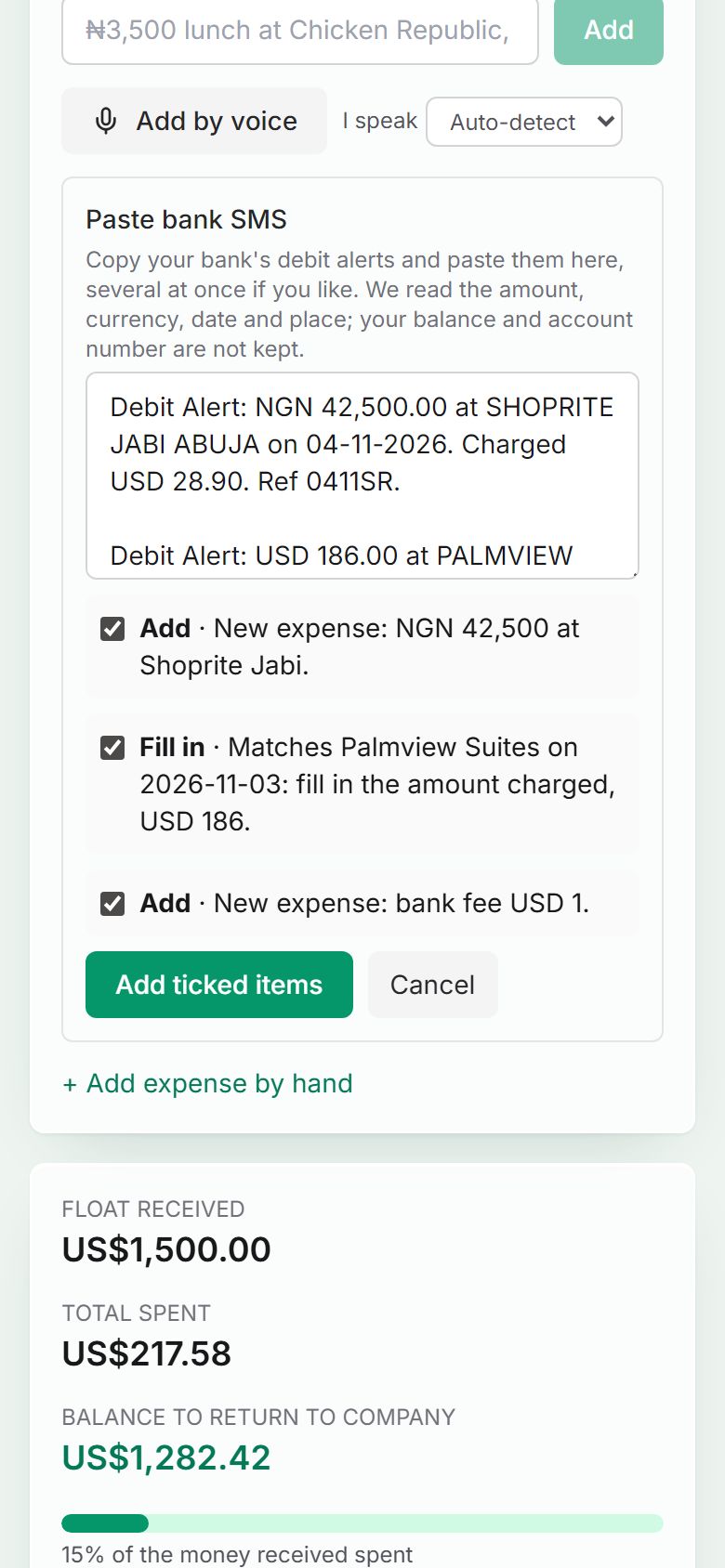
Step 2. Read them and check the preview
Press Read messages. Each alert gets a line saying what will happen: a new expense, “fill in the amount charged” on an expense you already added, or a bank fee as its own expense. Untick anything you do not want.
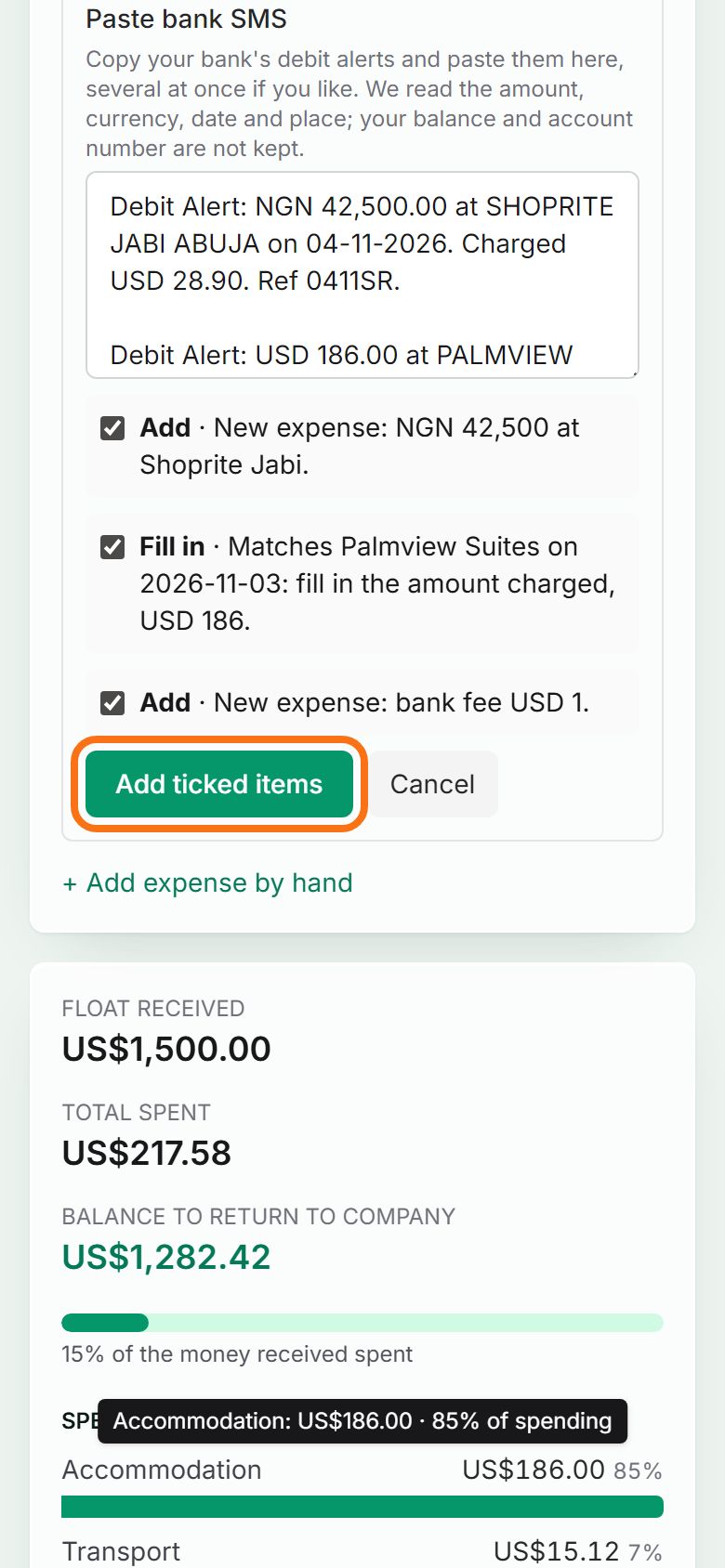
Step 3. Add the ticked items
Press Add ticked items. Anything that was unclear is marked “Please check” so you can confirm it. Pasting the same alert twice does not add it twice.


Still stuck? Ask the chat at the bottom of the page, or email support@quantum-notemaster.com.
Next guide: Cash withdrawals and the exchange rate